1 / 4
More Guides
Put a live leaderboard, the Calcutta race, and scrolling birdie-and-eagle highlights on the clubhouse TV. Any screen with a browser works — and the money stays hidden until you want it.
More Guides
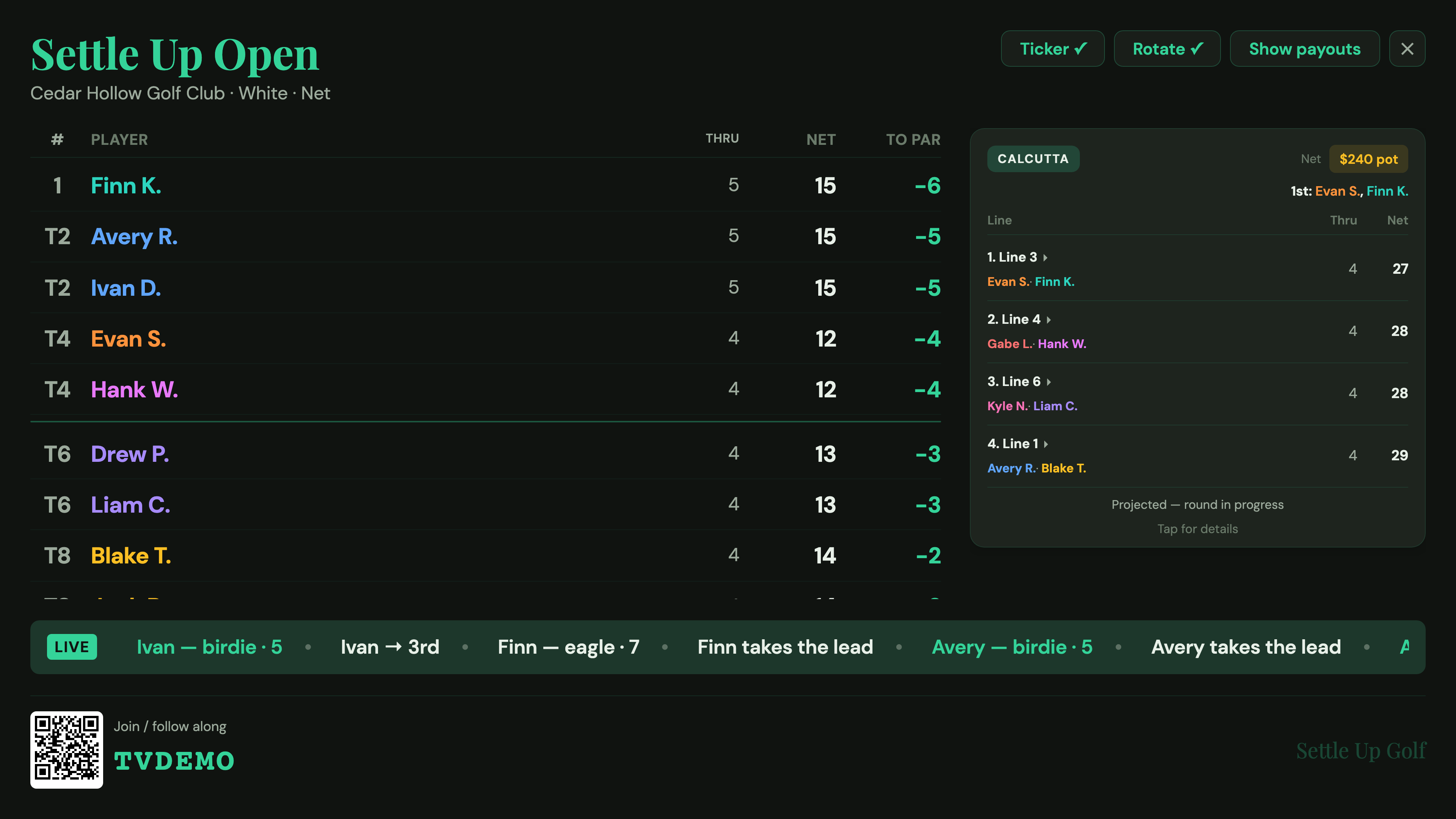
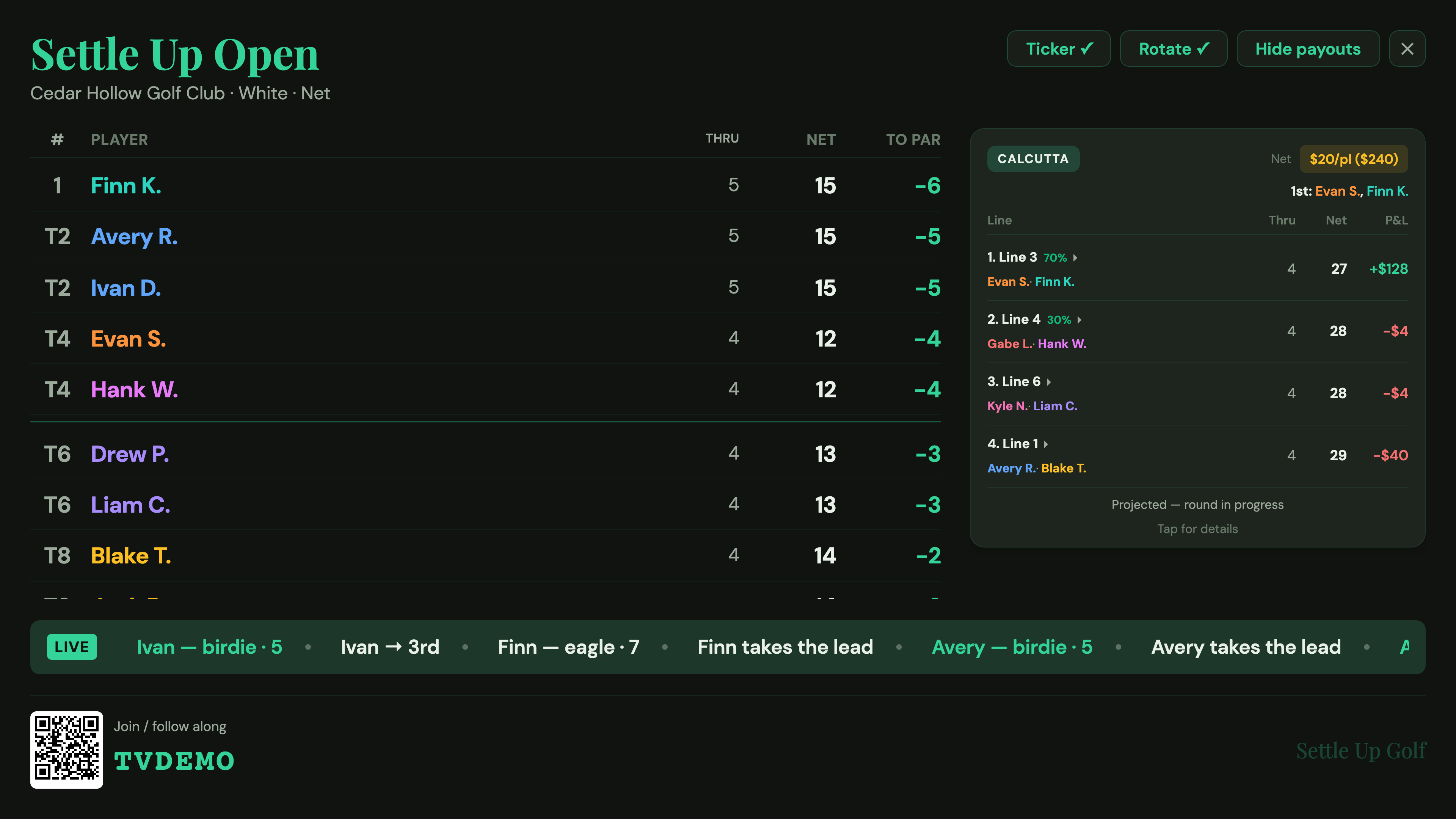
There's a moment in every club tournament when the groups start trickling back to the clubhouse and everyone crowds around one phone to see where they stand. Casting to TV fixes that. Settle Up Golf turns any screen with a browser into a broadcast-style leaderboard — to-par standings, the Calcutta line race, the pot, and a scrolling ticker that calls out birdies, eagles, and lead changes the instant they're entered on the course.
It's deliberately web-based, because that's how clubhouse TVs actually work. The host opens app.settleup-golf.com on a laptop wired to the TV by HDMI, on a smart-TV browser, or by casting a Chrome tab to a Chromecast — logs into their account, opens the tournament Board, and taps Cast to TV. No second app, no setup, no extra hardware. Because it reads the same live data the scoring app uses, the screen re-ranks within seconds of any group's score, with no one needing to refresh.
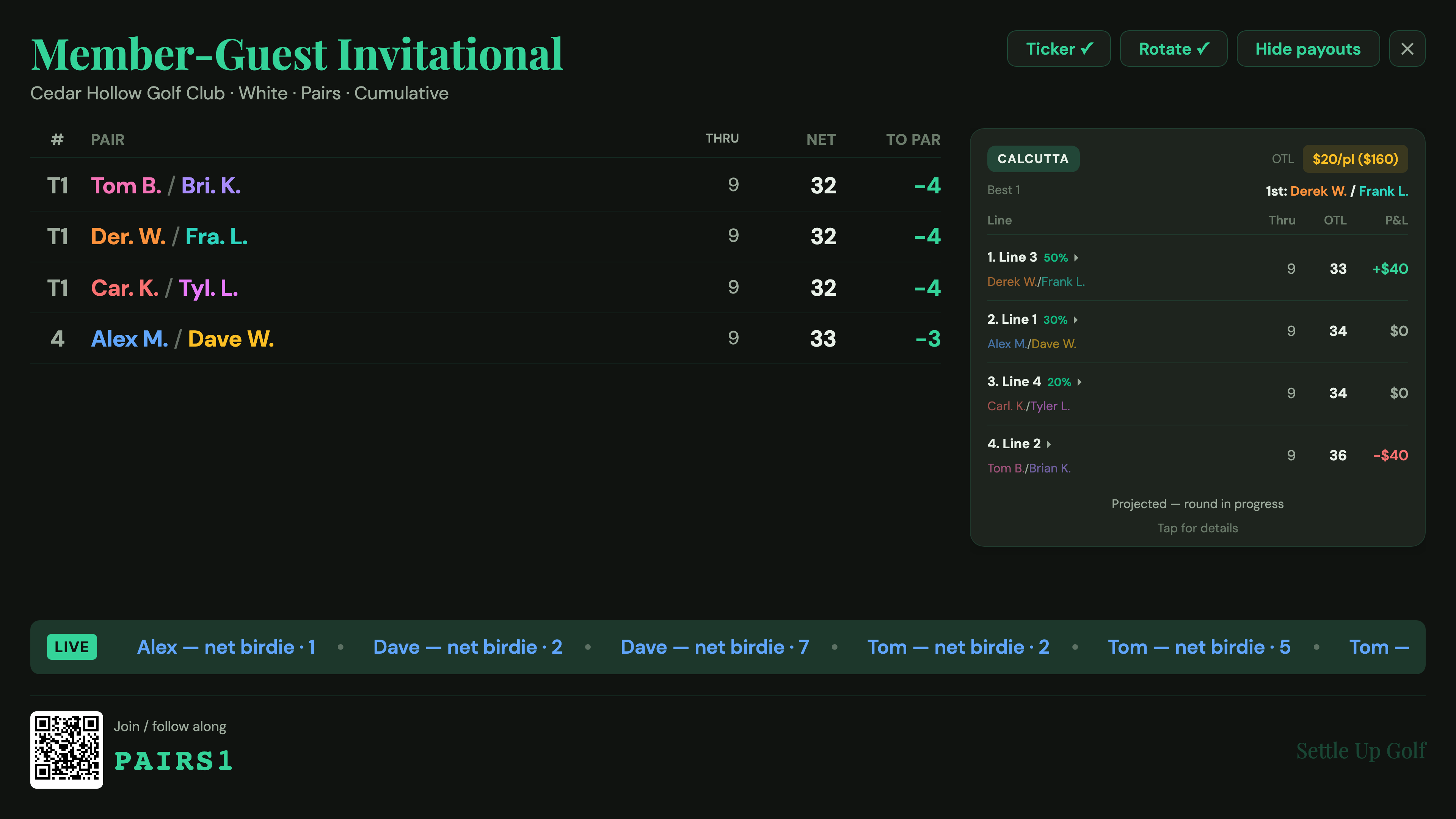
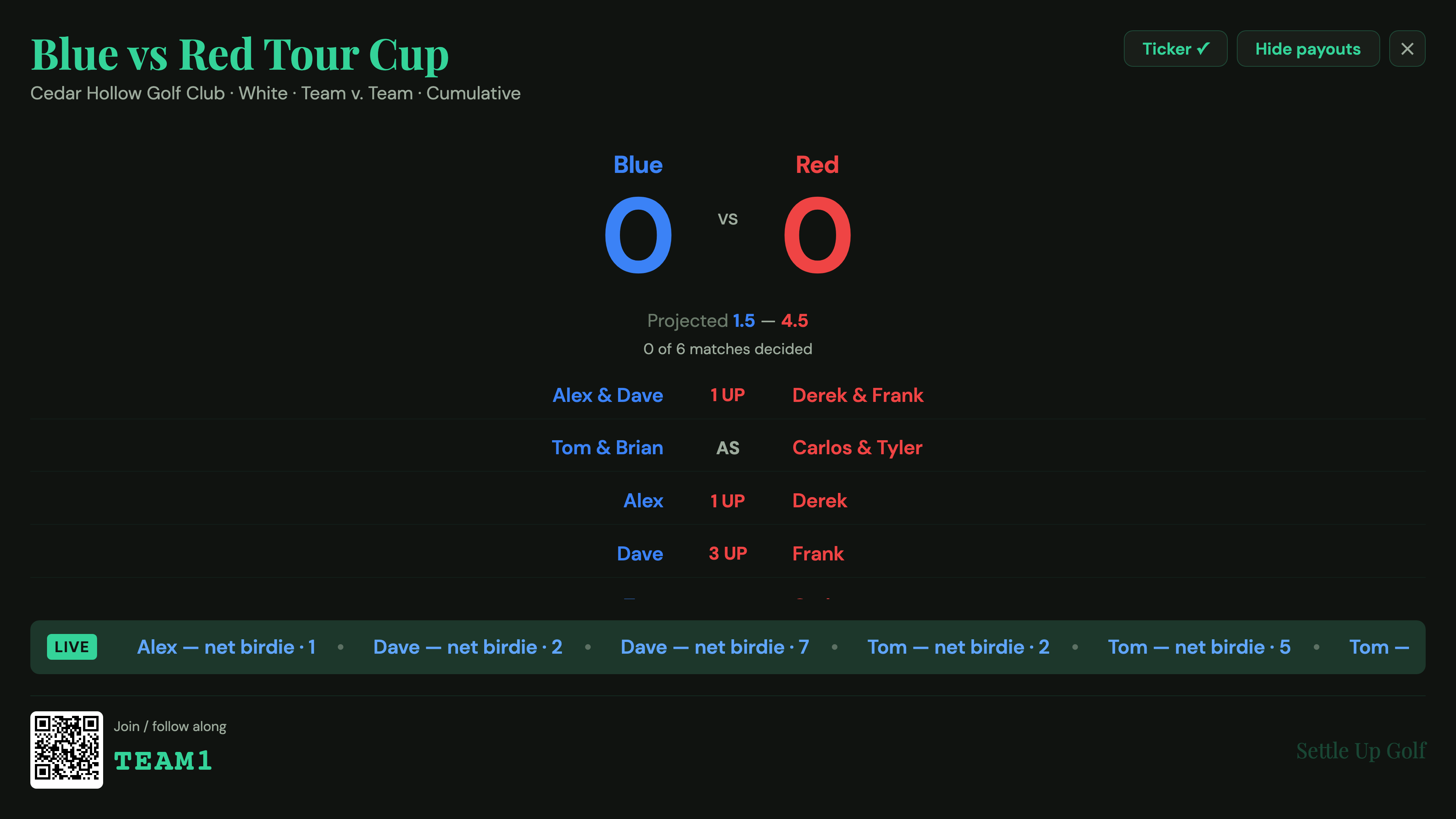
Payouts stay hidden by default — the standings and the Calcutta race and pot are public, but the dollar figures and the settle-up are not, until the host chooses to reveal them. And the view is format-aware: a member-guest shows pair best-ball, a scramble shows group scores, a multi-day event shows cumulative standings, and a Team v. Team match shows a full team scoreboard. Ties are handled the way golf does — T1, T1, 3, 4, T5 — and a big field pins the leaders while rotating everyone else so it always fits on one screen.
Want to read the leaderboard on your phone first? See the live leaderboard guide. Setting up the pool that drives the race on screen? Start with the Calcutta guide.
Free to download. Run a live TV leaderboard for your next event.