1 / 5
More Guides
Skip the duplicate data entry. Settle Up Golf pins your scorecard to the top of GHIN's posting page so you can type each hole into GHIN once and be done.
More Guides
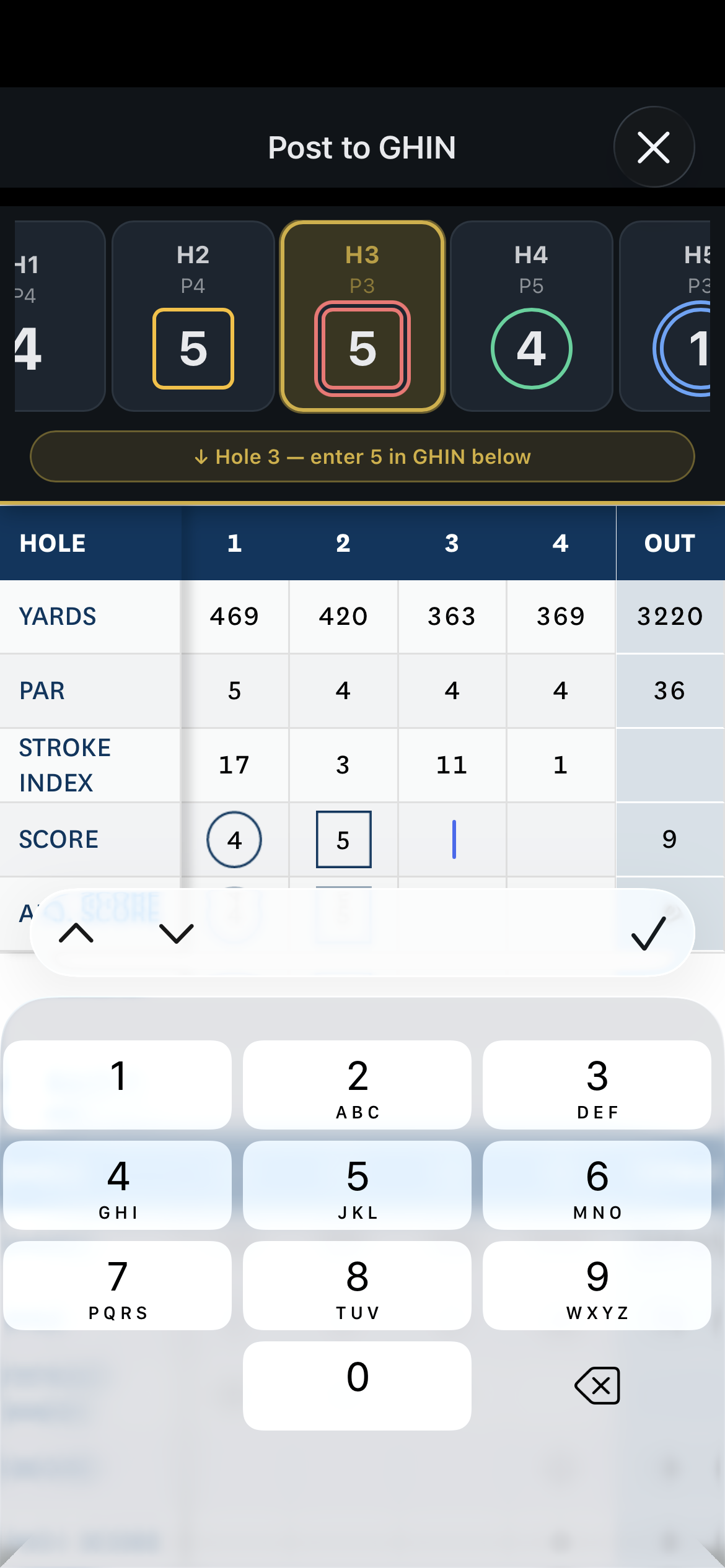
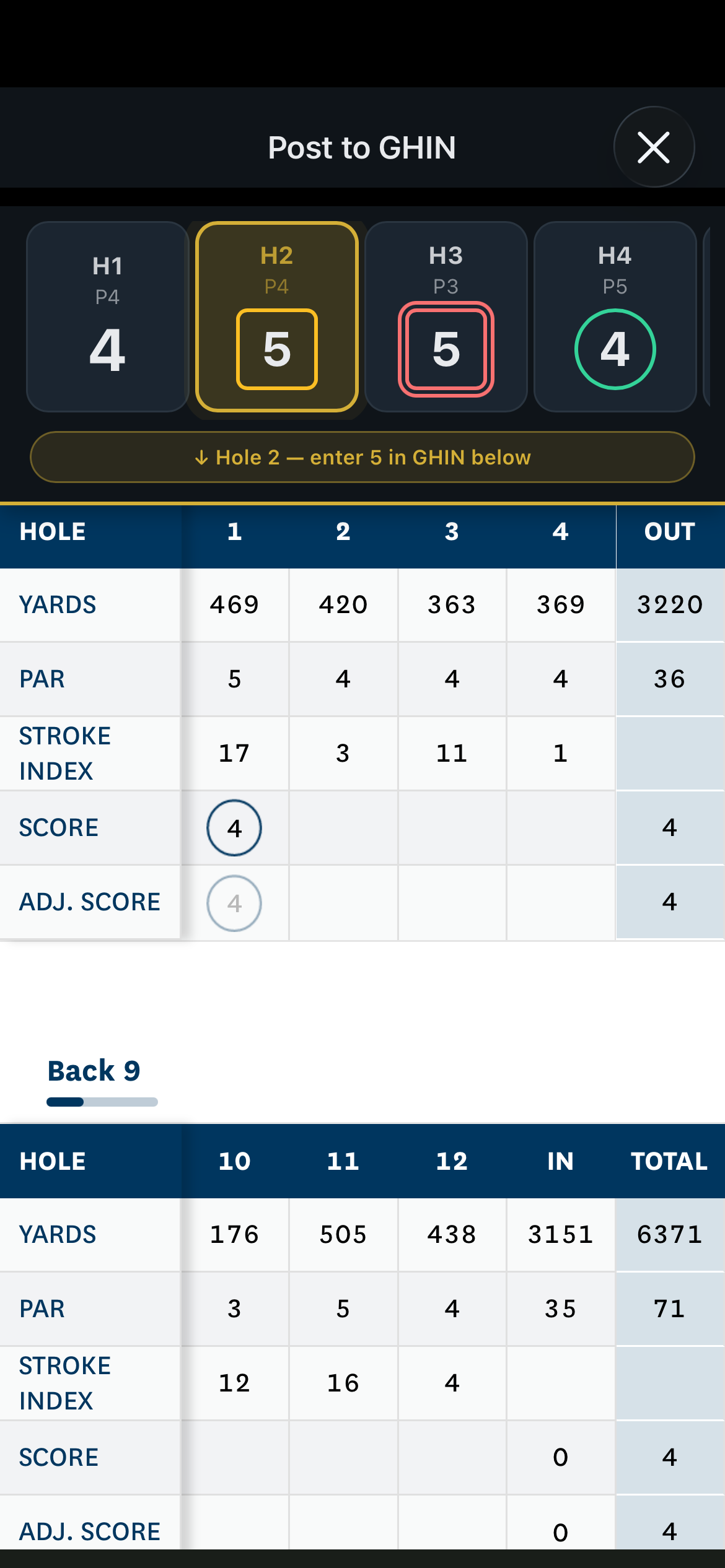
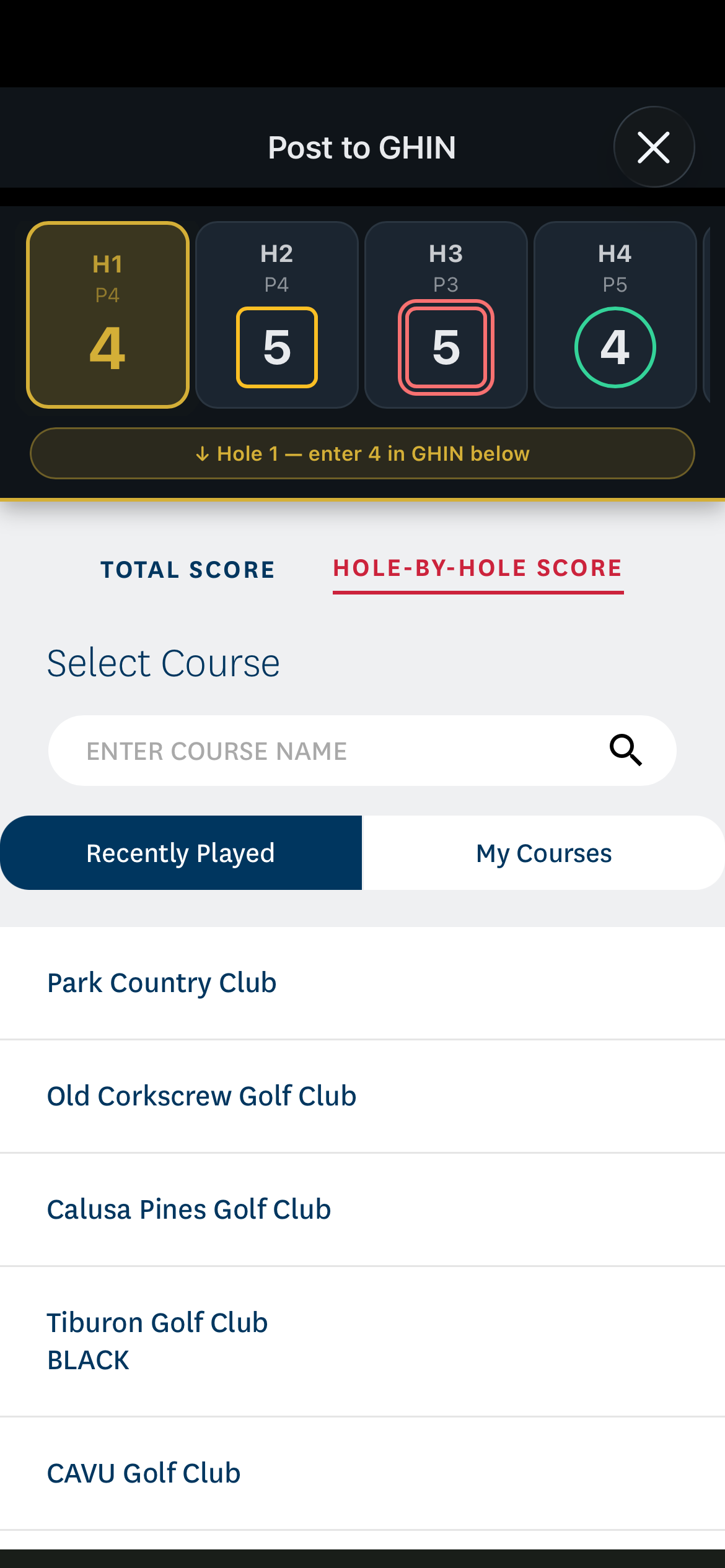
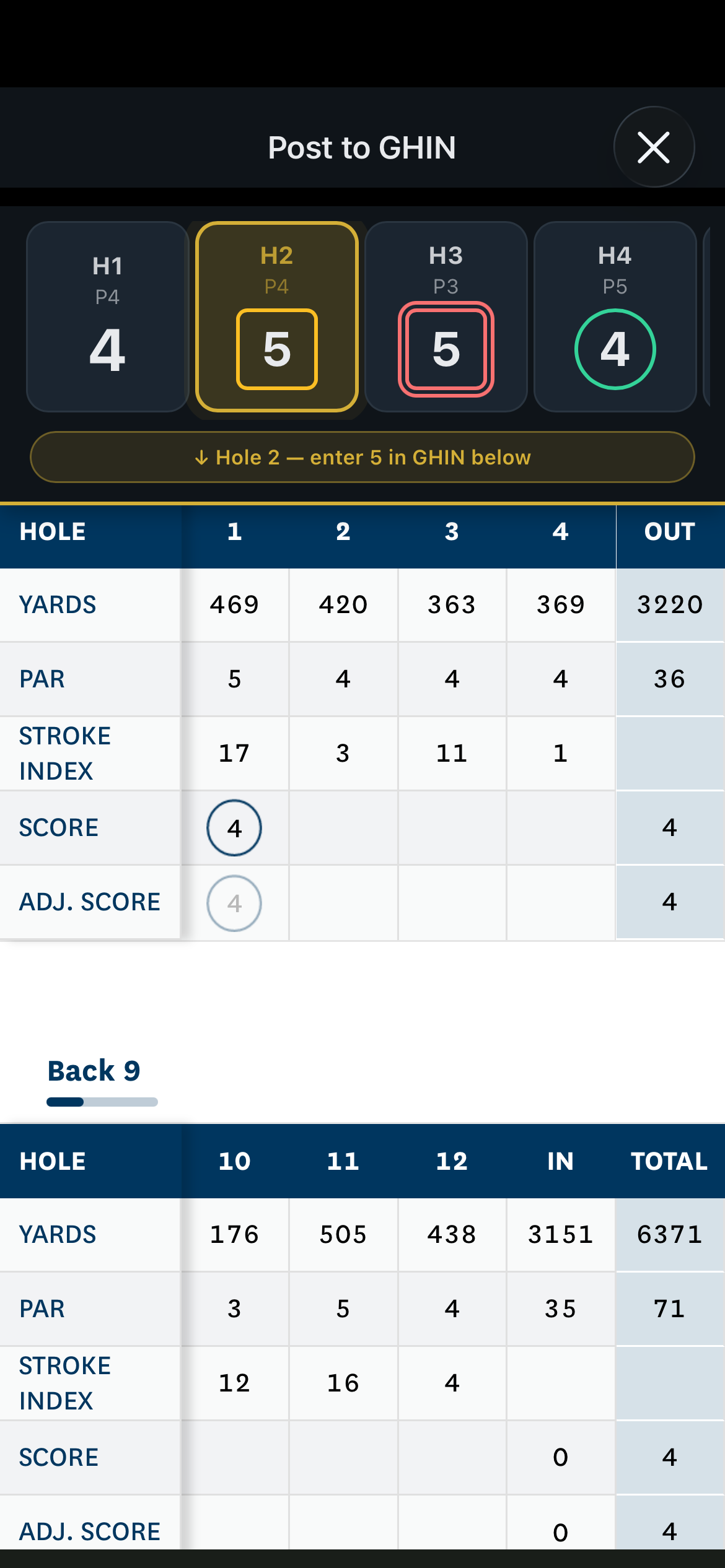
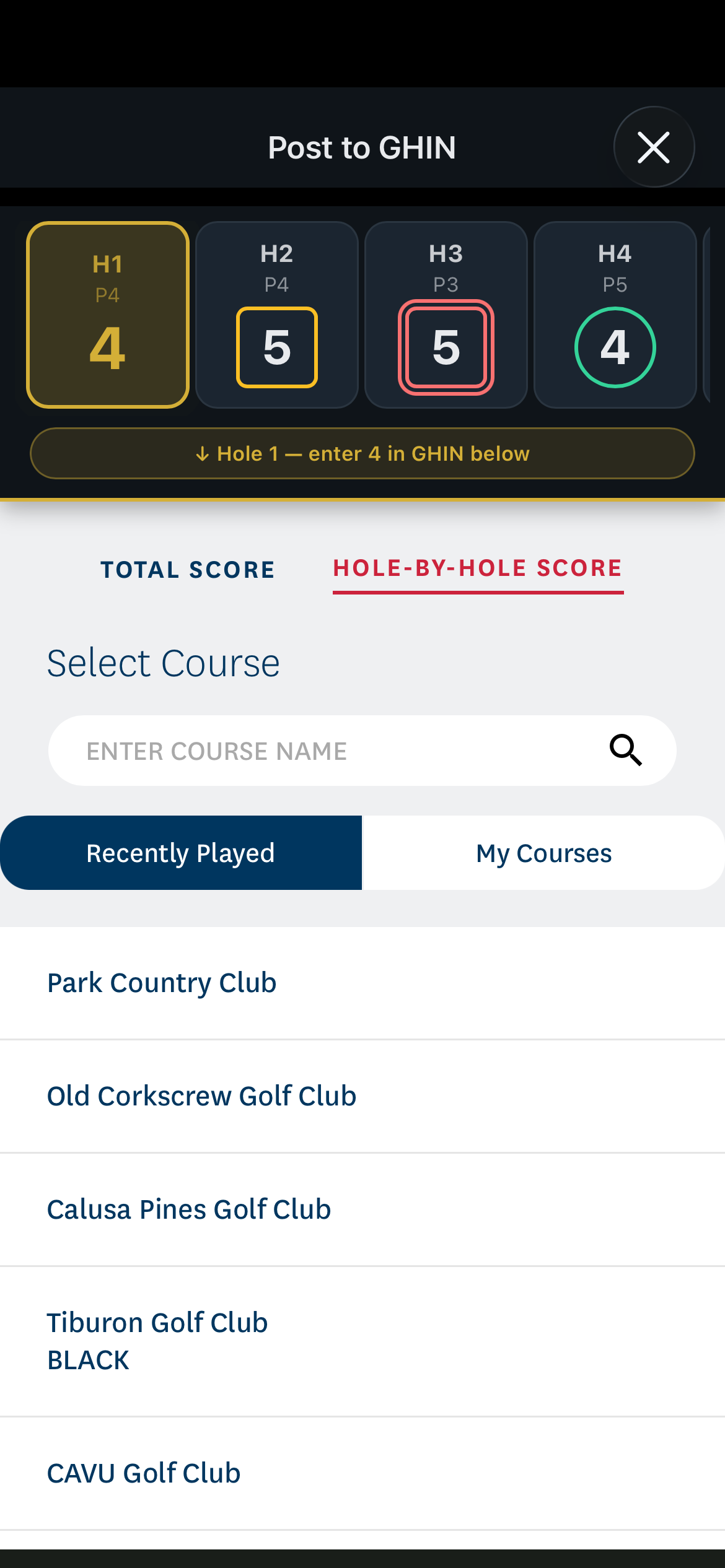
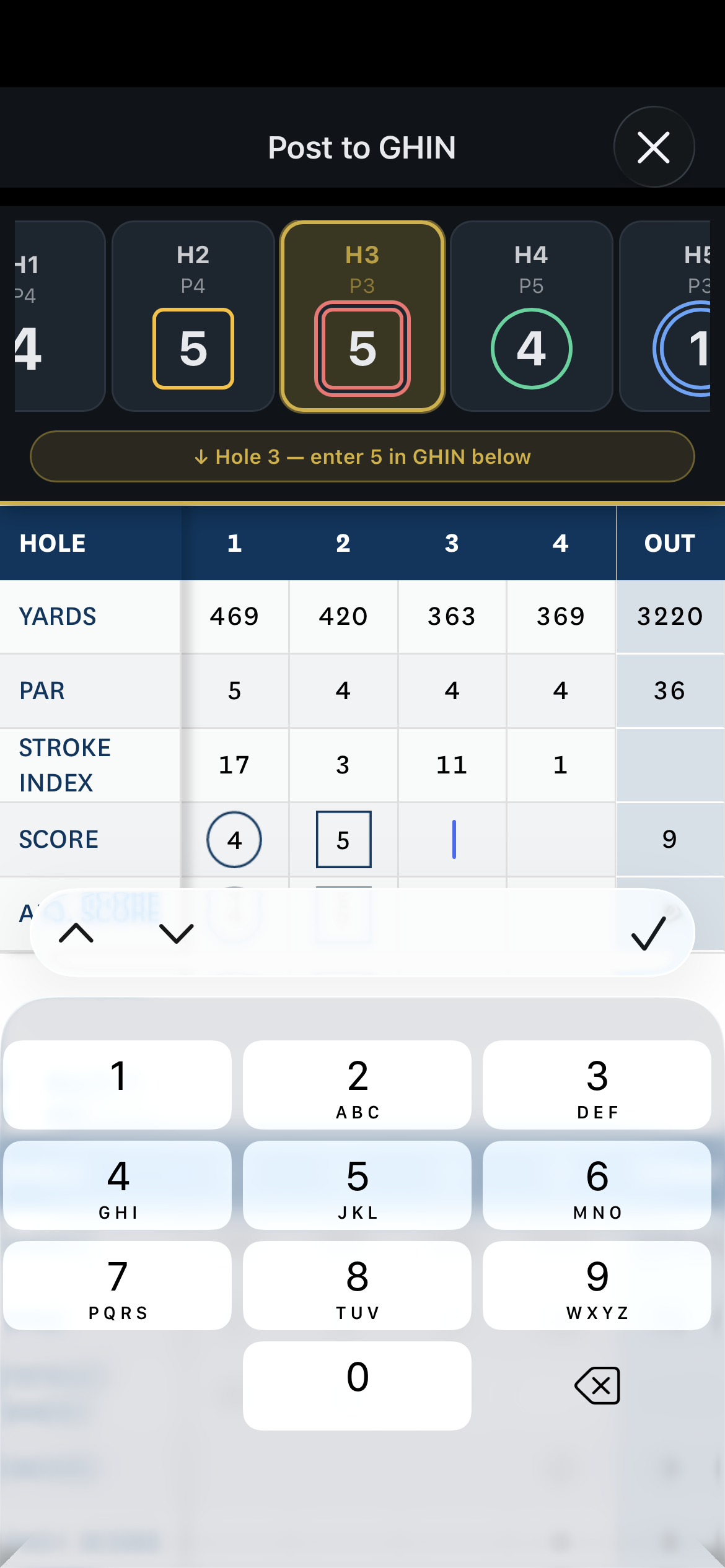
Posting handicap scores to GHIN has always meant typing every hole into GHIN's website — even though you just spent 4 hours typing them into a scoring app. Settle Up Golf fixes that. After you tap Finish on a round, the Post to GHIN button opens GHIN's posting page in an in-app browser with your scorecard pinned to the top. Tap a hole to focus that input, and the focus auto-advances as GHIN moves through the form.
The banner stays visible as you scroll — even when the keyboard pops up — and it color-codes your scores using golf scorecard convention: green circles for birdies, blue circles for eagles, amber squares for bogeys, red squares for double-bogey or worse. You always know whether what you typed matches what you actually shot.
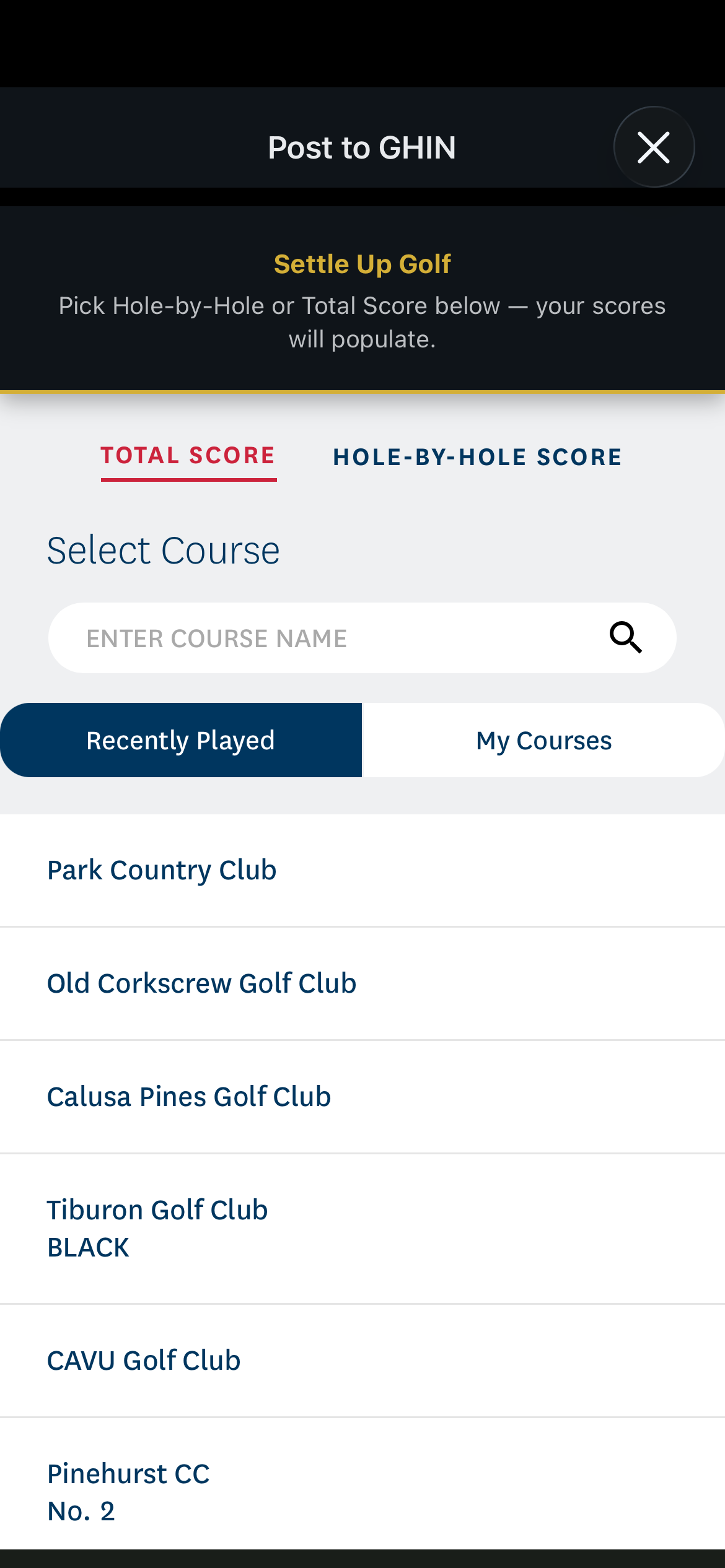
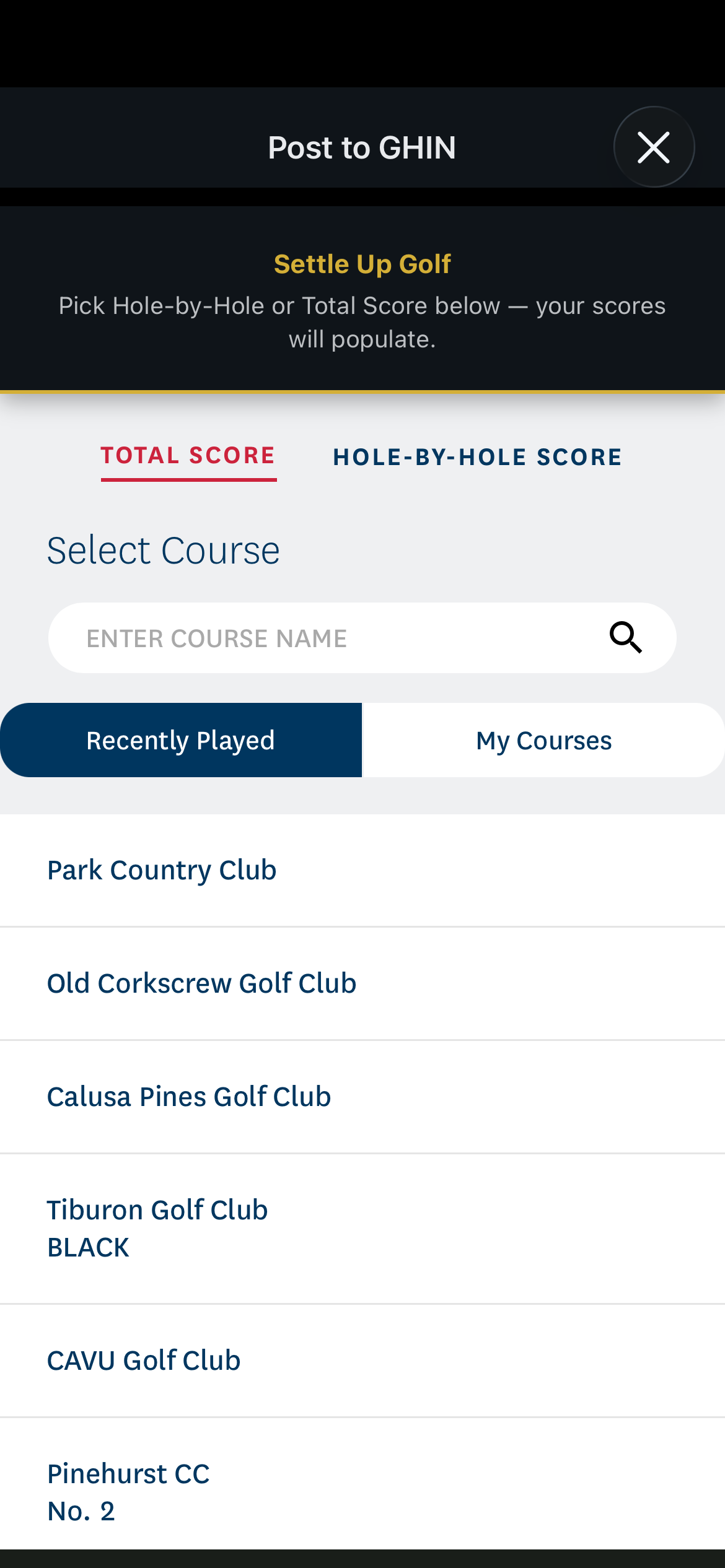
Two posting modes are supported. Hole-by-Hole gives GHIN your full scorecard — required for adjusted gross or per-hole handicap calculations. Total Score posts just your front, back, and overall totals in a single tap. Both work the same way on iOS and Android. You'll need an active GHIN handicap account, which most US golfers already have through their home club.
Free to download. Post your first round to GHIN in under 2 minutes.


Additional reference screenshots from the app — tap any to open full size.