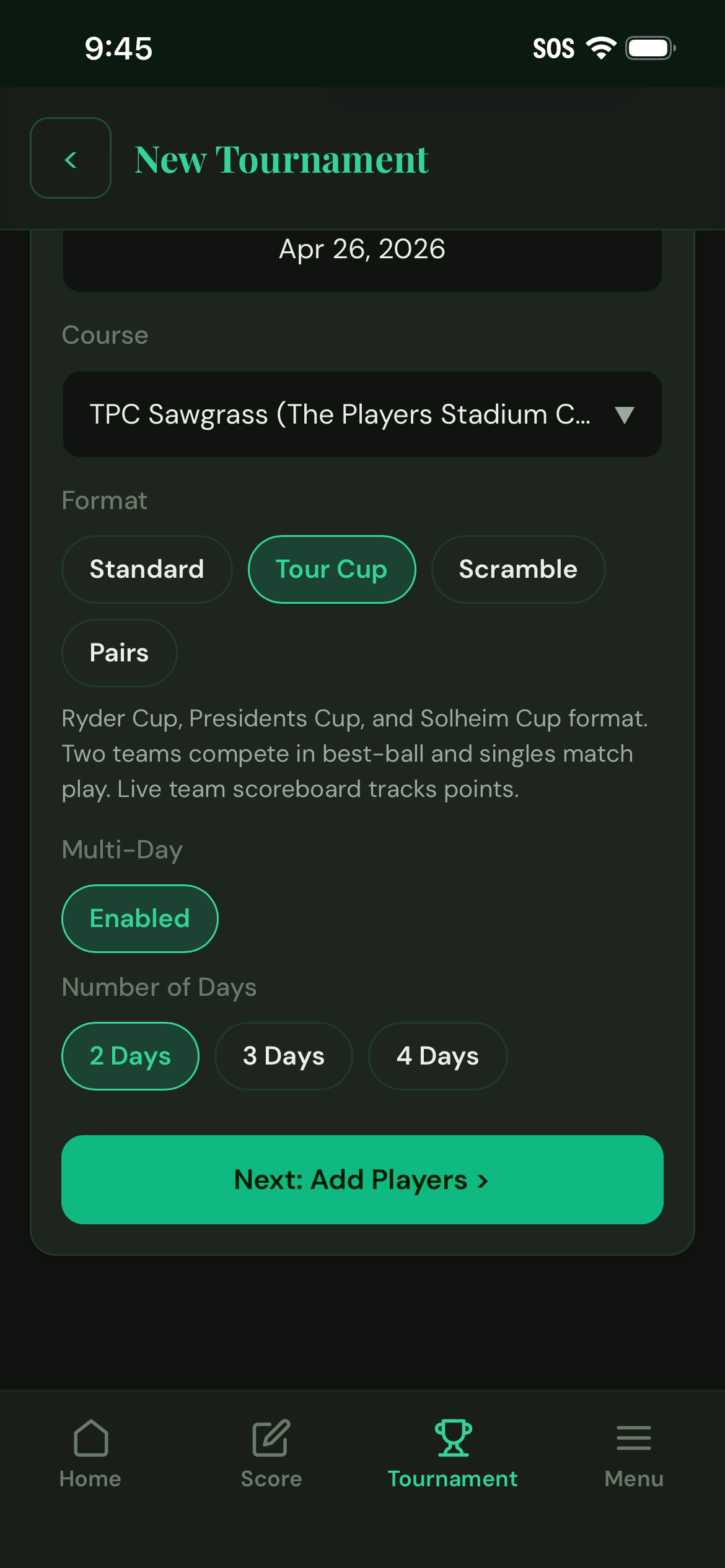
Enable Multi-Day
In the tournament setup basics screen, toggle Multi-Day on. Set the number of days — 2, 3, or more. Each day gets its own tab in the setup flow.
Multi-Day works with any tournament format: Standard, Scramble, Pairs, or Tour Cup. The day structure is layered on top, not a separate mode.

Configure Each Day
Tap each day tab to set the course, tee, and groups for that day. Different course on Day 2? No problem — just swap it in.
You can change group compositions between days, which is common for buddy trips: same players, different pairings each morning.
Set Per-Day Games
Each day supports its own set of games — Skins, Nassau, Group v. Group, or any combination. Day-level games reset when the day ends and pay out independently.
Tournament-level games — Calcutta, Low Net, Low Gross — run across the whole event and use cumulative scoring from all days.
Seed Calcutta from Day 1
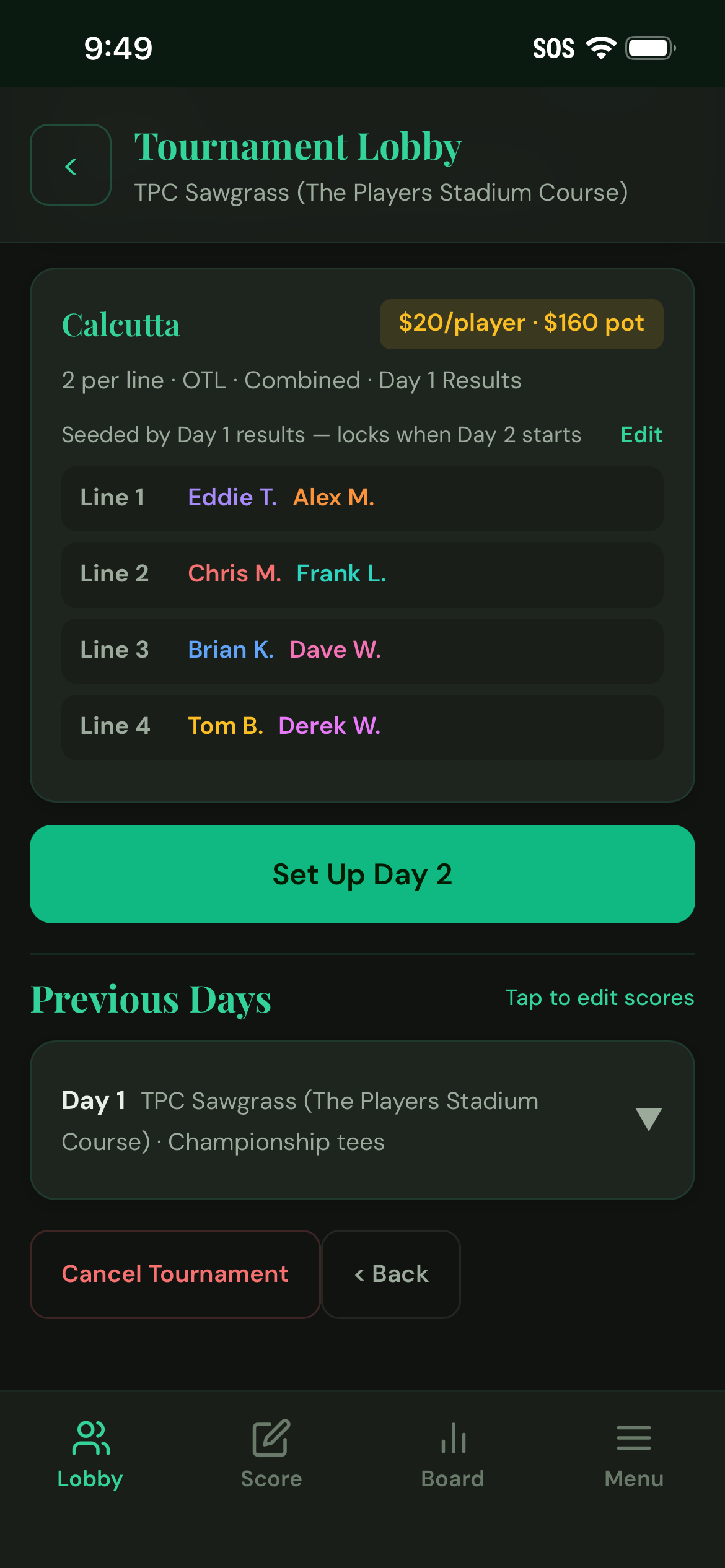
If your tournament has a Calcutta, you can seed line assignments from Day 1 results. After Day 1 scores are in, open the Calcutta config and tap Seed from Day 1.
The app ranks players or pairs by Day 1 performance and suggests balanced line assignments for the pool. Review, adjust if needed, then lock — lines are set before Day 2 begins.
Advance Days
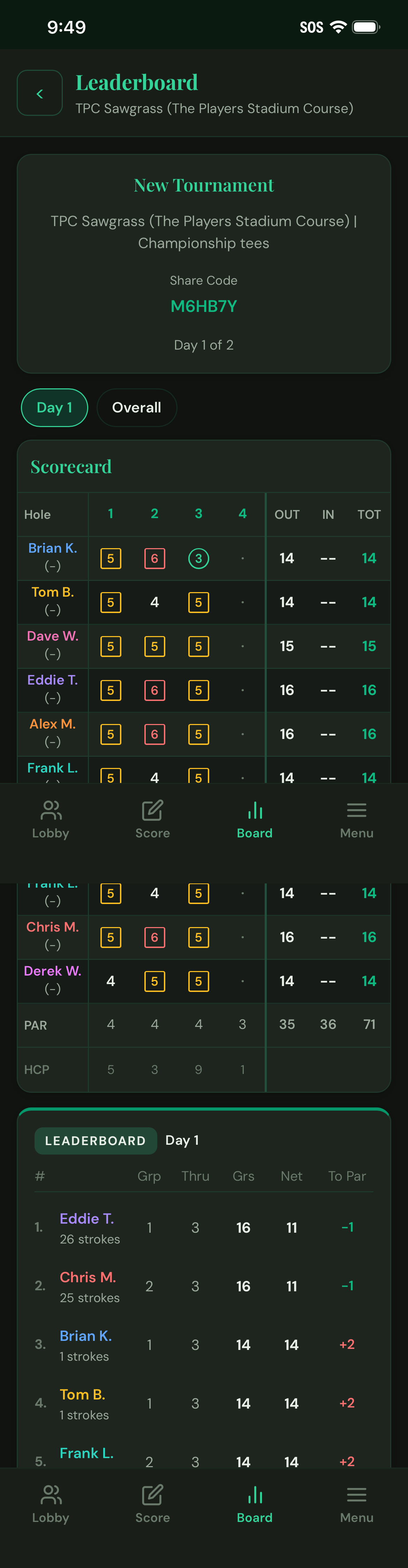
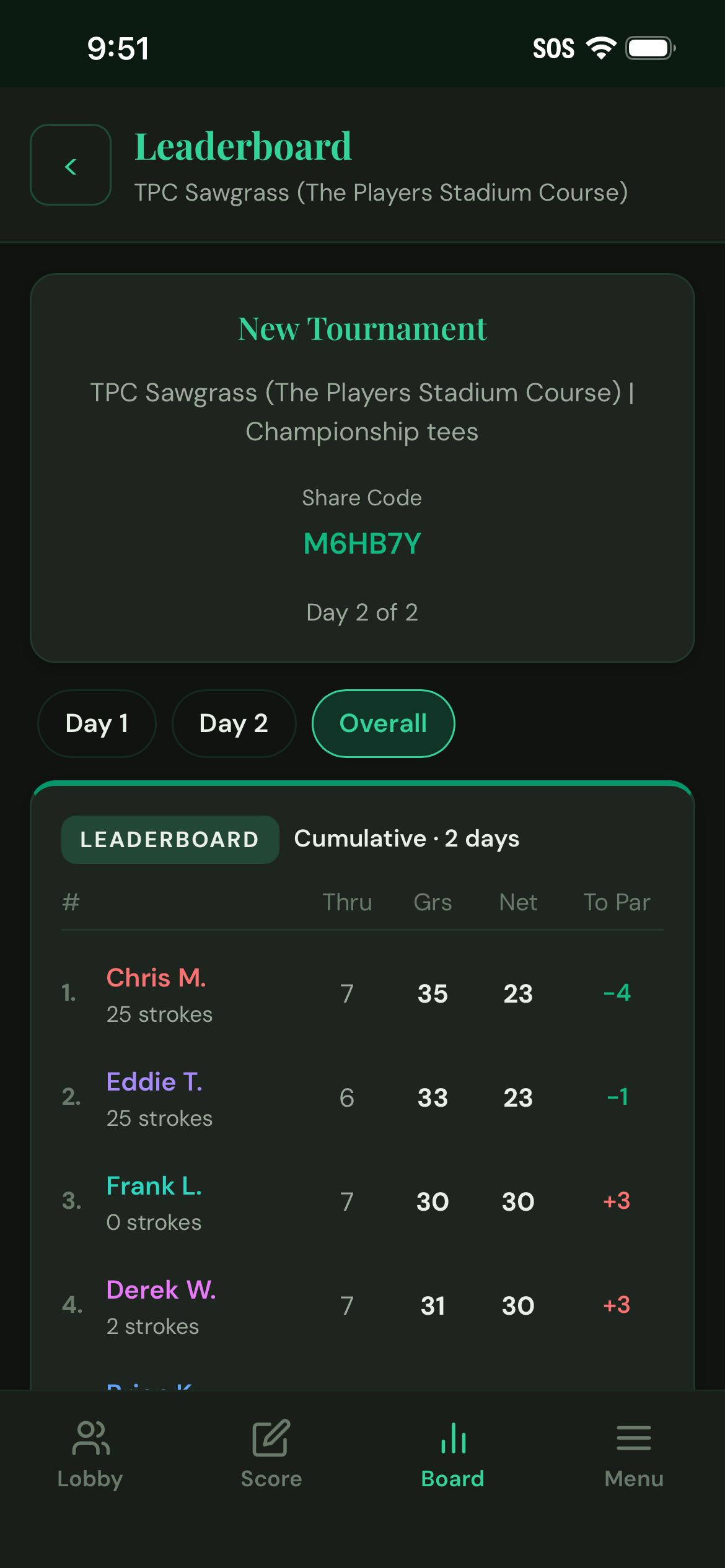
Once every group finishes a day, tap Advance to Day 2 from the Tournament Lobby. Scores carry over automatically — the cumulative leaderboard on the Board tab updates to show total-to-par across all completed days.
Players join Day 2 the same way they joined Day 1 — with the tournament share code. Their scores pick up right where they left off.
Final Payouts
When the last group finishes the last day, the tournament wraps up automatically. The Settle Up sheet shows every payout in one place: daily skins, per-day game results, Calcutta pool distribution, and overall Low Net / Low Gross.
No spreadsheet needed. The app adds it all up — who owes who, and how much. No more IOUs at the 19th hole.
More Guides